
Did you know that 97% of consumers search online to find a local company? If your brand is missing from these results, you are essentially invisible to your most valuable neighbors. Building a professional online presence is no longer optional; it is the heartbeat of modern entrepreneurship.
A verified profile serves as the foundation for your local digital strategy. It acts as a digital storefront that works for you around the clock. By completing your Google My Business setup, you gain the power to control how your brand appears in maps and search results.
We want to help you transform your creative passion into a sustainable, discoverable venture. This guide provides the clarity you need to navigate these tools without getting lost in technical jargon. You deserve a strong online presence that reflects the quality of your work.
Key Takeaways
- Local search visibility is essential for attracting nearby customers.
- A verified profile acts as the bedrock of your digital marketing strategy.
- You can manage your brand’s reputation directly through your dashboard.
- Clear, accurate information builds trust with potential clients immediately.
- Taking control of your digital identity turns passion into a sustainable career.
What is Google My Business?
Google My Business acts as the digital storefront for your company in an increasingly mobile world. It is a free, user-friendly tool that allows you to manage how your business appears across Google services, including Search and Maps. By maintaining an accurate Google Maps listing, you ensure that potential customers find your contact details, hours, and location with ease.
Overview of Google My Business
The platform serves as the central hub for your online presence. When users search for services in their vicinity, Google pulls data from these profiles to provide relevant results. This connection is vital because “near me” searches increased by 900% between 2013 and 2017, proving that mobile users are actively looking for immediate solutions.
Effective local SEO strategies rely heavily on this platform to bridge the gap between digital discovery and physical visits. Without a verified profile, you risk losing visibility to competitors who are already capturing this high-intent traffic. You can think of this tool as the modern equivalent of a yellow pages entry, but with far more interactive capabilities.
Key Benefits for Businesses
Leveraging this platform provides a distinct competitive edge for small and medium-sized enterprises. It allows you to showcase your brand personality through photos, updates, and direct customer interaction. The following table highlights why this tool is essential for your growth compared to traditional advertising methods.
| Feature | Traditional Marketing | Google My Business |
|---|---|---|
| Cost | High (Ads/Print) | Free |
| Accessibility | Limited reach | High (Global/Local) |
| Engagement | Passive | Active (Reviews/Posts) |
| Data | Hard to track | Real-time insights |
By utilizing these features, you build trust with your audience before they even step through your door. Consistent management of your profile ensures that your online presence remains professional and inviting. Ultimately, this tool empowers you to take control of your reputation and drive sustainable traffic to your business.
How to Get Started with Google My Business
Taking control of your business identity online is the first step toward attracting more local customers. A successful Google My Business setup acts as the digital storefront for your brand, ensuring you appear exactly where your audience is searching.
Creating Your Google Account
Before you dive into the dashboard, you need a dedicated Google account. We strongly recommend using a professional email address that you plan to associate with your business for the long term.
Avoid using personal accounts that might be shared or forgotten. By keeping your business credentials separate, you maintain better security and professional oversight of your local SEO efforts.
Accessing Google My Business
Once your account is ready, navigate to the business profile portal to begin. It is vital to search for your business name first to see if a Google Maps listing already exists.
If you find your business, simply click “I own or manage this business” to claim it. This prevents the creation of duplicate profiles, which can confuse customers and dilute your search rankings.
“Your digital presence is the most valuable asset you own in the modern marketplace; treat it with the same care as your physical storefront.”
The following table outlines the key differences between managing a new versus an existing listing to help you navigate the process effectively.
| Scenario | Action Required | Primary Benefit |
|---|---|---|
| New Business | Create a fresh profile | Full control from day one |
| Existing Listing | Claim ownership | Prevents duplicate entries |
| Multiple Locations | Use bulk verification | Efficient brand management |
By following these steps, you ensure that your local SEO strategy is built on a solid foundation. Maintaining a single, verified Google Maps listing is the most effective way to manage your brand’s reputation and visibility across the web.
Setting Up Your Business Profile
Your business profile acts as the digital storefront for your brand in local search results. When you commit to a thorough Google My Business setup, you provide the search engine with the necessary signals to connect you with local customers. Accuracy is your best friend here; if you are unsure about a specific detail, it is better to wait than to provide incorrect information.
Entering Basic Business Information
Effective business information management begins with the basics. You must ensure that your business name, physical address, and phone number are consistent across the entire web. This consistency builds trust with both Google and your potential clients.
Do not overlook your operating hours. Customers rely on this data to decide when to visit your location or call your office. Providing precise details ensures that you do not miss out on opportunities simply because a user thought you were closed.
Choosing the Right Business Category
Selecting the correct business category is a critical step in your setup process. This choice tells Google exactly what your business does, which helps the algorithm match your profile with relevant user searches. If you choose a category that is too broad, you may struggle to rank for specific services.
Take the time to research the categories that your top competitors use. You want to be as specific as possible to capture high-intent traffic. Remember, you can add secondary categories later to cover the full scope of your services.
| Data Field | Importance Level | Impact on SEO |
|---|---|---|
| Business Name | Critical | High |
| Physical Address | High | High |
| Operating Hours | Medium | Moderate |
| Business Category | Critical | Very High |
By maintaining high standards for your data, you create a solid foundation for long-term growth. Keep your profile updated whenever your operations change to ensure your audience always has the right information.
Verifying Your Business Listing
Verification acts as the digital handshake that confirms your business is legitimate. This critical step proves to Google and your potential customers that you are the authorized representative of the company. By completing this process, you significantly improve your search engine ranking and build lasting credibility with your audience.
Verification Methods Explained
Google offers several ways to verify your business, depending on your industry and location. The most common method involves receiving a postcard by mail containing a unique code. Once you receive this, you simply enter the code into your dashboard to activate your profile.
In some cases, you may be eligible for faster options such as email, phone, or even instant verification. These methods are designed to streamline the process for established businesses. Choosing the right path ensures your Google Maps listing becomes active as quickly as possible, allowing you to start attracting local traffic.
Troubleshooting Common Verification Issues
Sometimes, the process does not go as smoothly as expected. If you find that your postcard never arrives or your phone verification fails, do not panic. Patience is key, as mail delivery can occasionally face unexpected delays in certain regions.
If you encounter persistent errors, you should consult the official Google support resources for detailed guidance. These tools provide step-by-step solutions for specific error codes or account restrictions. Addressing these hurdles promptly is essential to maintaining a healthy search engine ranking and ensuring your business remains visible to those searching for your services.
Optimizing Your Google My Business Profile
Think of your profile as your most important landing page for attracting new customers. When users find you online, they make split-second decisions based on what they see. A polished, professional presence is essential for effective GMB optimization and building immediate trust with your audience.
Adding Photos and Videos
Visual content is the most powerful tool you have to capture attention. Statistics show that businesses including quality photos receive 35% more clicks on their website than those without. This simple addition can significantly boost your click-through rate and overall engagement.
Select a high-resolution profile picture and a cover photo that accurately represent your brand’s personality. You should also upload images of your products, your team, and your workspace to give potential clients a real sense of who you are. If you need help managing these assets, you can learn more about adding or editing your business through official support resources.
Writing a Compelling Business Description
Your business description is your chance to tell your story in your own words. Use this space to highlight what makes your services unique while naturally incorporating keywords that help your search engine ranking. Avoid stuffing your text with jargon; instead, focus on the value you provide to your local community.
Keep your tone authentic and professional to resonate with your target audience. A clear, concise description helps customers understand your mission quickly, which is vital for improving your search engine ranking. By combining high-quality visuals with a thoughtful narrative, you create a cohesive strategy for long-term GMB optimization success.
Managing Customer Reviews
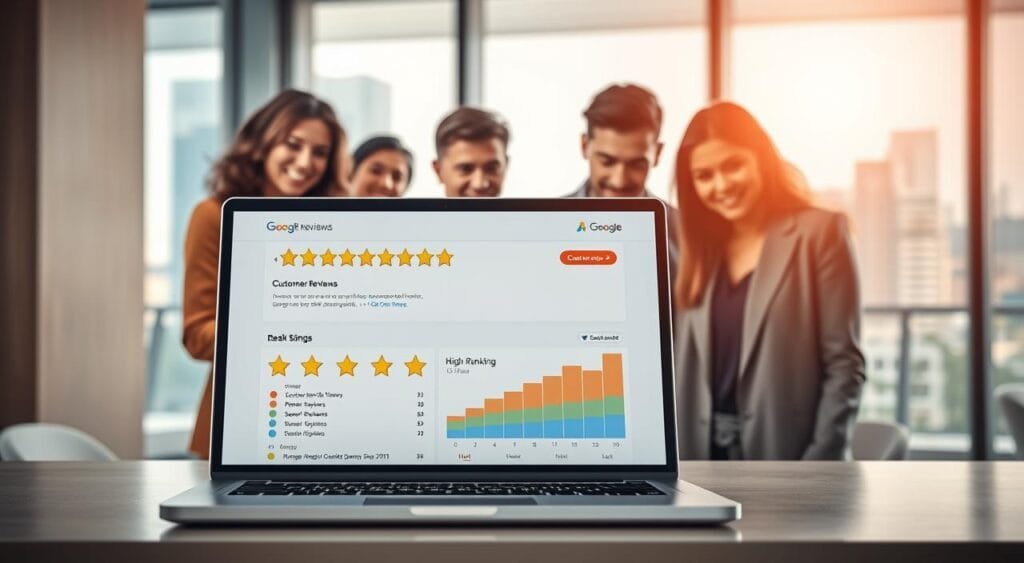
Customer reviews act as the modern-day word-of-mouth marketing engine. In the digital age, these testimonials serve as a primary signal for local search visibility, helping your business stand out in a crowded marketplace.
Importance of Reviews
Search engines prioritize businesses that demonstrate high levels of trust and authority. When you consistently gather authentic feedback, you provide the data necessary to improve your search engine ranking significantly.
It is important to remember that quality always outweighs quantity. A handful of detailed, genuine customer reviews are far more impactful than dozens of generic or low-quality entries. Focus on creating a seamless experience that encourages your clients to share their honest thoughts.
“Your brand is what other people say about you when you’re not in the room.”
To build a steady stream of feedback, consider these simple strategies:
- Send a polite, personalized follow-up email immediately after a service or appointment.
- Place small, professional cards at your checkout counter inviting customers to share their experience.
- Use QR codes on receipts that link directly to your review submission page.
Responding to Reviews Effectively
Engagement is the secret weapon of successful business owners. Whether the feedback is glowing or critical, responding shows that you value your clients and are committed to excellence.
When you address negative feedback with grace and professionalism, you turn a potential challenge into a demonstration of your integrity. This active management style helps boost your search engine ranking by signaling to platforms that your profile is active and well-maintained.
Always aim to be prompt and appreciative in your replies. By acknowledging customer reviews, you foster long-term loyalty and show prospective clients that you are a business that truly listens.
Utilizing Google My Business Insights
You can unlock hidden growth opportunities by diving deep into your business analytics. By leveraging the data provided by your Google My Business profile, you gain a clear picture of how local customers find and interact with your brand. This data-driven approach removes the guesswork from your marketing strategy.
When you consistently monitor these insights, you identify exactly what is working and where you need to adjust your efforts. Whether you are tracking search queries or analyzing customer reviews, the information available helps you refine your service to better meet local needs.
Understanding Analytics Overview
The analytics dashboard provides a comprehensive look at your digital footprint. It tracks how users discover your business, whether through direct searches for your name or discovery searches for your specific services.
You can see the total number of views your profile receives across Google Search and Maps. This overview is essential for understanding your online visibility and determining if your current optimization efforts are reaching the right audience.
Key Metrics to Monitor
To grow your business effectively, you must focus on specific performance indicators. Monitoring these numbers allows you to make informed decisions that directly impact your bottom line.
- Calls: Track how many people click the call button directly from your profile.
- Bookings: Measure the conversion rate of users who schedule appointments through your listing.
- Search Queries: Identify the specific terms people use to find your business.
- Customer Reviews: Analyze the sentiment and frequency of feedback to improve your reputation.
The following table outlines how these metrics contribute to your overall business growth and strategy development.
| Metric | Primary Benefit | Actionable Insight |
|---|---|---|
| Search Queries | Visibility | Optimize for high-intent keywords |
| Calls & Bookings | Conversion | Improve staff availability |
| Customer Reviews | Reputation | Address feedback to build trust |
By regularly reviewing these metrics, you stay ahead of the competition. Remember that consistent monitoring is the secret to maintaining a strong and healthy online presence.
Promoting Your Business Using GMB Features
You can transform your profile into a vibrant hub of activity by utilizing built-in promotional features. Rather than letting your listing sit idle, these tools allow you to communicate directly with your local community. Maintaining a dynamic online presence is essential for capturing the attention of potential customers who are searching for services in your area.
Posts and Updates
Sharing regular updates is a simple way to keep your audience informed about what is happening behind the scenes. Whether you are announcing a new product launch, sharing a company milestone, or highlighting a team member, these posts keep your brand top-of-mind. Consistency is key when you want to build trust with your local clientele.

You can also use these updates to showcase your expertise or provide helpful tips related to your industry. By offering value beyond just your core services, you strengthen your online presence and encourage repeat visits to your profile. Remember that fresh content signals to search engines that your business is active and relevant.
“The best marketing doesn’t feel like marketing; it feels like a helpful conversation with your community.”
Creating Special Offers
One of the most effective ways to drive foot traffic is by creating time-sensitive special offers. You can easily highlight discounts, seasonal sales, or exclusive events directly on your profile. These features provide a clear call to action that encourages users to choose your business over a competitor.
- Set clear expiration dates to create a sense of urgency for your customers.
- Use high-quality images to make your offers stand out in search results.
- Track the performance of each post to see which promotions resonate most with your audience.
By leveraging these promotional tools, you ensure that your online presence remains professional and engaging. A well-maintained profile acts as a digital storefront that invites customers to interact with your brand every single day.
Best Practices for Google My Business Success
Achieving high visibility in local search results depends on three core pillars: relevance, distance, and popularity. Mastering these factors requires a commitment to ongoing GMB optimization that goes beyond a one-time setup.
Consistent Maintenance and Updates
Your business information management strategy must prioritize accuracy. Update your operating hours, contact details, and service offerings whenever changes occur to keep your audience informed. Promptly addressing new customer reviews signals to Google that your profile remains active and trustworthy.
Staying Ahead of Market Trends
Local SEO is a dynamic field that rewards those who adapt to shifting consumer behaviors. Observe how competitors manage their profiles to identify new opportunities for engagement. Refine your approach based on these insights to ensure your brand remains a top choice for local customers. Consistent effort in these areas builds the foundation for sustainable growth and long-term digital success.