

Did you know that nearly 75% of consumers judge a company’s credibility based solely on its digital appearance? In the competitive world of online retail, your e-commerce website design acts as both a 24/7 product showcase and your most dedicated sales representative.
If your storefront fails to capture attention within seconds, potential customers will simply move on to a competitor. Balancing visual appeal with high-performance functionality is the secret to turning casual browsers into loyal buyers.
You can easily master this balance by utilizing a professional e-commerce website design platform that prioritizes user experience. By focusing on clean layouts and intuitive navigation, you transform your creative passion into a sustainable, profitable business model.
Key Takeaways
- First impressions are critical, as most users judge brand credibility by visual layout.
- Your digital storefront functions as a silent salesperson that must guide visitors toward a purchase.
- Effective layouts require a perfect harmony between aesthetic beauty and technical functionality.
- Modern consumers expect seamless navigation and fast loading speeds on every device.
- Strategic planning allows you to convert creative ideas into a scalable and sustainable online business.
Understanding the Importance of E-commerce Website Design
Your website design acts as the digital storefront for your business, shaping every interaction a customer has with your brand. It is not merely about choosing colors or fonts; it is about building a frictionless path that guides visitors toward a purchase. When you prioritize an optimized web design, you create an environment where customers feel confident and comfortable spending their money.
Why Design Matters for E-commerce
A well-structured site serves as your most effective salesperson, working around the clock to convert interest into action. If your layout is confusing or cluttered, potential buyers will leave before they even see your products. By focusing on clarity and purpose, you can increase e-commerce sales by removing the barriers that typically cause cart abandonment.
Design influences how users perceive your credibility. A professional, clean interface signals that your business is legitimate and trustworthy. When you align your visual strategy with your core business goals, you create a cohesive experience that keeps shoppers engaged from the homepage to the checkout screen.
Key Elements of a Successful Design
To achieve success, you must focus on specific pillars that define a high-performing store. These elements work together to ensure that your site is both functional and visually appealing. Consider these essential components:
- Intuitive Navigation: Helping users find products in seconds.
- Fast Loading Speeds: Preventing bounce rates caused by delays.
- Mobile Responsiveness: Ensuring a seamless experience on all devices.
- Clear Calls-to-Action: Guiding users toward the next logical step.
Notable Statistics That Highlight Design Impact
Data proves that design choices have a direct impact on your bottom line. For instance, 71% of visitors who navigate directly to a brand site complete a purchase on site. This highlights why an optimized web design is essential for capturing high-intent traffic. The following table illustrates how specific design factors influence key business metrics.
| Design Factor | Impact on User | Business Outcome |
|---|---|---|
| Site Speed | Reduces frustration | Higher conversion rates |
| Visual Hierarchy | Guides attention | Increased average order value |
| Trust Badges | Builds confidence | Lower cart abandonment |
| Mobile Layout | Improves accessibility | Broader market reach |
Choosing the Right E-commerce Platform
Selecting the right infrastructure is a pivotal moment in your online store development journey. The platform you choose acts as the digital foundation for your brand, influencing everything from your daily operations to your long-term revenue potential.
Comparing Popular E-commerce Platforms
The market offers a wide range of tools, each catering to different business needs. For instance, platforms like Wix provide user-friendly, no-code editors that are perfect for beginners, with plans ranging from $29 to $159 per month. Other solutions offer more robust, custom e-commerce solutions for those who need deep control over their site architecture.
| Platform | Best For | Ease of Use | Pricing Model |
|---|---|---|---|
| Wix | Small Businesses | High | Monthly Subscription |
| Shopify | Growing Brands | Medium | Tiered Subscription |
| Magento | Large Enterprises | Low | Custom/Open Source |
Factors to Consider for Your Business
When evaluating your options, look beyond the initial price tag. Consider whether you require built-in AI tools to automate marketing or if you need a platform that supports complex third-party integrations. Simplicity often wins for startups, but as your inventory grows, you may find that you need more flexibility.
“Technology is best when it brings people together and empowers them to build something lasting.”
If your business model relies on unique customer experiences, you might eventually move toward custom e-commerce solutions. These allow you to tailor every pixel of the user journey to match your specific brand identity.
Scalability and Future Growth
Your goal should be to select a platform that grows alongside your traffic. A solution that works for a small startup must also handle the demands of a high-volume enterprise without crashing during peak sales seasons. Scalability is non-negotiable for long-term success in online store development.
Always prioritize platforms that offer reliable cloud hosting and consistent security updates. By planning for growth today, you avoid the headache of migrating your entire database to a new system later on.
Crafting a User-Friendly Navigation
Your website navigation acts as the primary roadmap for every visitor who lands on your store. When shoppers arrive, they expect to find their desired items without confusion or delay. Implementing a user-friendly e-commerce design ensures that your site remains intuitive, keeping visitors engaged as they move toward the checkout page.
Best Practices for E-commerce Menus
A clean, organized menu is the backbone of a great shopping experience. You should prioritize simplicity by limiting the number of top-level categories to avoid overwhelming your audience. Use clear, descriptive labels that match the language your customers actually use when searching for products.
Consistency is vital across all pages of your site. Ensure your main menu remains in the same location on every page so users never feel lost. By keeping your structure predictable, you build confidence and encourage longer browsing sessions.
The Role of Search Functionality
Even with perfect menus, many shoppers prefer to use the search bar to find specific items. A robust search tool acts as a shortcut, allowing users to bypass navigation entirely. You should place your search bar in a prominent position, typically at the top center or top right of the header.
Consider adding predictive text or auto-suggest features to help users find products faster. These tools reduce the effort required to type out full names and help correct minor spelling errors. A fast, responsive search function is a hallmark of a high-converting store.
Categorizing Products Effectively
Effective categorization helps customers narrow down their choices through a logical hierarchy. Start with broad categories and drill down into specific sub-categories to keep the path clear. This user-friendly e-commerce design approach prevents decision fatigue and helps shoppers find exactly what they need in the fewest clicks possible.
Always test your categories to ensure they make sense from a buyer’s perspective. If you notice high bounce rates on specific pages, it may be time to reorganize your labels or simplify your sub-menu structure. Clarity should always take precedence over complex, creative naming conventions that might confuse your audience.
Designing an Eye-Catching Homepage
When a visitor lands on your site, you have only a few seconds to make a lasting impression. Your homepage acts as the digital storefront window that must capture attention immediately. By focusing on a user-friendly e-commerce design, you ensure that potential customers feel welcome and ready to explore your offerings.
Essential Features of a Homepage
A successful homepage needs to be intuitive and functional. You should prioritize a clean layout that includes a prominent search bar, a clear navigation menu, and a recognizable logo. For inspiration on how to structure these elements, you can review various ecommerce website design examples to see what works best for your niche.
- A clear value proposition in the hero section.
- Easy access to product categories.
- Visible contact information or support links.
Utilizing Visuals and Graphics
Humans are visual creatures, and your site should reflect that. A visually appealing website design relies on high-quality photography and consistent branding to tell your unique story. Avoid cluttering the page with too many elements, as this can distract the user from your primary goal.
Instead, use whitespace to let your products breathe. When you align your imagery with your brand voice, you create a cohesive experience that builds instant credibility with your audience.
The Importance of Clear Calls-to-Action
Your homepage is not just a display; it is a tool to guide the user journey. Every section should lead the visitor toward a specific action, such as browsing a collection or signing up for a newsletter. If you want to build a successful online store, your buttons must be bold and easy to find.
Clear calls-to-action remove friction and help users navigate your site with confidence. Ensure your primary buttons stand out against the background color to maximize click-through rates and drive conversions effectively.
Optimizing Product Pages for Conversions
The moment a customer lands on your product page, the clock starts ticking on their decision to buy. With the average cart abandonment rate sitting at a staggering 67.45%, you cannot afford to leave your sales potential to chance. Building an SEO-friendly e-commerce site requires a laser focus on the pages where the actual transaction happens.
By refining these specific areas, you can guide visitors toward the checkout button with confidence. If you are looking for deeper strategies on scaling your online business, focusing on these conversion drivers is the best place to start.
Key Components of Product Descriptions
Your product descriptions should do more than just list features; they must solve problems. Use clear, benefit-driven language that speaks directly to the needs of your target audience. Many successful entrepreneurs now use AI tools to generate unique, descriptive copy that improves search visibility.
Ensure your text is scannable by using bullet points for technical specifications. This approach helps shoppers find the information they need without feeling overwhelmed by walls of text.
The Power of High-Quality Images
Visuals are the primary substitute for the physical experience of touching a product. High-resolution images allow customers to inspect textures, colors, and details from every angle. Consistency in lighting and style across your gallery builds professional credibility.
Consider adding zoom functionality to your images to provide a more immersive experience. When shoppers can clearly see what they are buying, their hesitation decreases significantly.
Customer Reviews and Their Impact
Social proof is a powerful psychological trigger that validates the purchase decision. Displaying authentic customer reviews directly on the product page helps mitigate the fear of buying online. Transparency is key; even a few negative reviews can actually increase trust by showing that your feedback system is genuine.
| Element | Primary Benefit | Conversion Impact |
|---|---|---|
| Product Descriptions | Clarity and SEO | High |
| High-Res Imagery | Visual Trust | Very High |
| Customer Reviews | Social Proof | High |
| Clear CTA Buttons | Action Guidance | Critical |
Building Trust Through Design
Trust is the invisible currency that dictates whether a visitor becomes a loyal customer or leaves your site forever. When you invest in custom e-commerce solutions, you are not just buying a layout; you are building a digital environment where users feel safe sharing their personal information. A professional design acts as a silent salesperson, reassuring visitors that your business is legitimate and secure.

Incorporating Trust Badges and Certifications
Security signals are essential for reducing anxiety during the checkout process. By placing recognizable trust badges—such as SSL certificates, payment processor logos, or industry-specific seals—near your “Add to Cart” buttons, you provide immediate visual confirmation of safety. These small icons serve as powerful psychological triggers that validate your store’s credibility.
Clear Return and Shipping Policies
Transparency is the fastest way to lower friction for new shoppers. You should ensure that your return and shipping policies are easy to find, written in plain language, and free of hidden traps. When customers know exactly what to expect regarding delivery times and refund processes, they are significantly more likely to complete their purchase.
“Trust is the foundation of every successful transaction. If your design does not communicate reliability, your conversion rates will suffer regardless of how great your products are.”
Customer Testimonials and Case Studies
Social proof is the ultimate bridge between curiosity and commitment. Displaying authentic customer reviews or detailed case studies helps potential buyers see the value of your custom e-commerce solutions through the eyes of others. This building trust through e-commerce website design approach creates a community-driven atmosphere that encourages long-term loyalty.
| Trust Element | Primary Benefit | Implementation Tip |
|---|---|---|
| Trust Badges | Security Assurance | Place near checkout |
| Return Policy | Risk Reduction | Link in the footer |
| Testimonials | Social Proof | Use real photos |
| Shipping Info | Expectation Setting | Show on product page |
Mobile Responsiveness in E-commerce Design
The rise of mobile commerce means your digital storefront must adapt to every screen size instantly. Recent data shows that 67% of online shoppers use more than one device when shopping online, often starting on a phone and finishing on a desktop. If you want to succeed, you must prioritize a mobile-friendly online store that functions perfectly regardless of the hardware.
Trends in Mobile E-commerce Design
Modern design trends focus on creating a frictionless path to purchase. Designers are increasingly using thumb-friendly navigation, which places essential buttons within easy reach of a user’s thumb. This simple shift significantly reduces physical strain and improves the overall shopping flow.
Another major trend is the move toward minimalist interfaces. By removing unnecessary clutter, you allow the product to take center stage. If you are looking for more ways to grow your brand, check out these online business tips to refine your strategy.
Importance of Mobile User Experience
A poor mobile experience is the fastest way to lose a potential customer. When a site takes too long to load or requires constant zooming, users will abandon their carts without hesitation. Investing in professional responsive design services ensures that your layout adjusts dynamically to provide a clean, readable, and interactive experience.
“Design is not just what it looks like and feels like. Design is how it works.”
Beyond aesthetics, mobile optimization directly impacts your search engine rankings. Google prioritizes sites that offer a seamless experience across all platforms. By focusing on mobile usability, you build the trust necessary to convert casual visitors into loyal, repeat buyers.
Responsive Design vs. Dedicated Mobile Sites
Choosing the right technical approach is vital for your long-term growth. While both methods aim to serve mobile users, they offer different advantages for your business model.
| Feature | Responsive Design | Dedicated Mobile Site |
|---|---|---|
| Maintenance | Single codebase | Two separate sites |
| SEO Impact | Stronger (one URL) | Complex (canonical tags) |
| Cost | More efficient | Higher overhead |
Most modern businesses benefit from responsive design services because they simplify content management. Maintaining a single, mobile-friendly online store ensures that your branding remains consistent, whether your customer is browsing from a tablet, a smartphone, or a laptop.
Enhancing Site Speed and Performance
In the digital marketplace, every millisecond counts toward your bottom line. A site that drags its feet will frustrate visitors and drive them straight to your competitors. Implementing an optimized web design is not just a technical preference; it is a fundamental requirement for modern business success.
Tools for Testing Website Speed
You cannot improve what you do not measure. Several industry-standard tools provide deep insights into your site’s performance, highlighting exactly where bottlenecks occur.
- Google PageSpeed Insights: Offers specific recommendations for both mobile and desktop performance.
- GTmetrix: Provides a detailed breakdown of load times and waterfall charts for technical analysis.
- Pingdom: Excellent for testing your site speed from various geographic locations.
Using these tools regularly allows you to track progress after making adjustments. Consistency is key when monitoring your site’s health.
Importance of Fast Loading Times
Slow loading times are a primary driver of customer frustration and lost revenue. When a page takes too long to render, the likelihood of a bounce increases exponentially.
“Speed is a feature. A fast site creates a better user experience, which directly correlates to higher conversion rates and improved search engine rankings.”
Infrastructure plays a massive role in these metrics. For instance, platforms like Wix utilize data centers across three continents to ensure content is served closer to the user, significantly reducing latency. Maintaining a mobile-friendly online store requires this level of infrastructure to ensure that users on cellular networks enjoy a seamless experience.
Optimizing Images and Files
Large, uncompressed media files are the most common culprits behind sluggish performance. You should always aim to strike a balance between visual quality and file size.
Consider these strategies to keep your site lean:
- Compress images: Use tools to reduce file sizes without sacrificing visual clarity.
- Leverage modern formats: Switch to WebP or AVIF formats for better compression ratios.
- Minify code: Remove unnecessary characters from your CSS and JavaScript files to speed up execution.
By focusing on these technical details, you ensure your mobile-friendly online store remains fast and responsive for every visitor. A high-performance site is the foundation upon which you build long-term customer loyalty.
Effective Use of Color and Typography
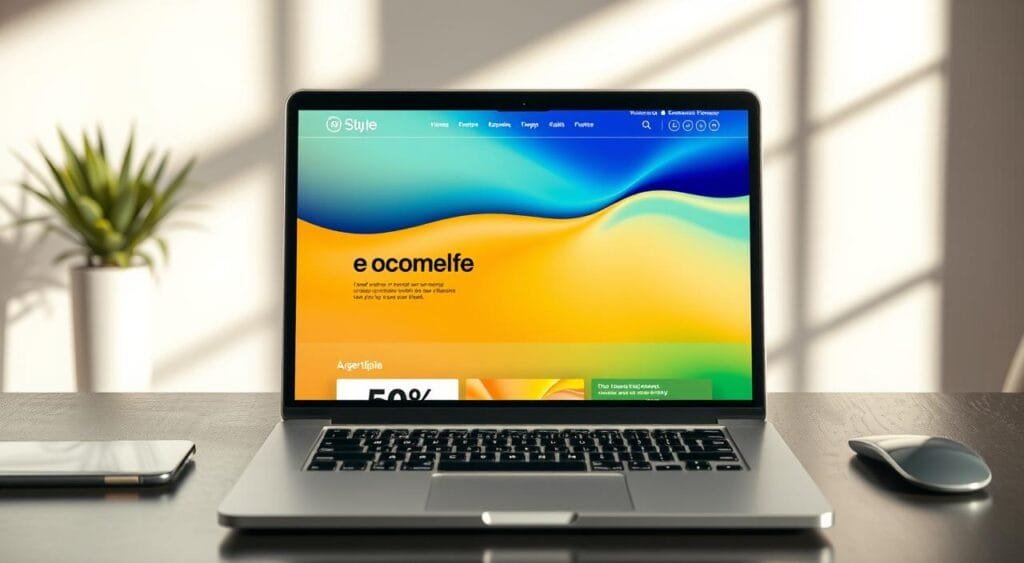
Your website’s visual language speaks volumes before a customer even reads a single word of your product description. Creating a visually appealing website design is not just about aesthetics; it is about guiding your visitors through a seamless journey that feels intuitive and trustworthy.
Psychology of Color in E-commerce
Colors act as silent ambassadors for your brand, triggering immediate emotional responses that influence purchasing decisions. When you select a palette, consider the specific feelings you want to evoke in your target audience.
- Blue: Often associated with trust, security, and professionalism.
- Red: Creates a sense of urgency, perfect for clearance sales or limited-time offers.
- Green: Frequently used to signal health, growth, or eco-friendly products.
- Black: Conveys luxury, sophistication, and high-end quality.
Choosing the Right Fonts for Readability
Typography is the backbone of your site’s communication. If your text is difficult to read, users will likely abandon their carts regardless of how great your products are. You should prioritize clarity over decorative flair.
When implementing custom e-commerce solutions, stick to a maximum of two or three font families. Use a bold, clean sans-serif font for headings to grab attention, and a highly legible serif or sans-serif font for body text to ensure comfort during long reading sessions.
Maintaining Brand Consistency
A professional storefront requires a cohesive visual identity across every single page. If your homepage uses a vibrant, playful style while your checkout page feels cold and corporate, you risk confusing your customers and damaging their trust.
Establish a style guide that defines your primary colors, secondary accents, and specific font weights. By applying these rules consistently, you create a unified experience that reinforces your brand identity and makes your business feel established and reliable.
Integrating User Experience (UX) Principles
Building a successful online store requires more than just a great product; it demands a deep understanding of how your visitors behave. When you prioritize the needs of your shoppers, you create a seamless path to purchase that boosts your bottom line. Effective online store development relies on constant observation and small, calculated adjustments.
Importance of User Testing
User testing is the process of watching real people navigate your site to identify friction points. You might be surprised to find that a button you thought was obvious is actually confusing to a first-time visitor. By observing these interactions, you gain invaluable insights that you simply cannot get from analytics alone.
You should consider using tools like Hotjar or Crazy Egg to record sessions and create heatmaps. These tools show you exactly where users click, scroll, and drop off. Implementing a user-friendly e-commerce design becomes much easier when you have visual proof of where your site layout fails to meet expectations.
Gathering Feedback for Continuous Improvement
Your customer service logs are a goldmine of information regarding your site’s usability. If multiple customers ask the same question about your checkout process, it is a clear signal that your design needs an update. Listening to your users allows you to fix problems before they lead to lost sales.
You can turn these insights into an iterative improvement cycle. Instead of overhauling your entire site at once, make small, data-backed changes and measure the results. This approach ensures your online store development remains agile and responsive to changing consumer habits.
| Testing Method | Primary Benefit | Best For |
|---|---|---|
| Heatmap Analysis | Visualizes user attention | Homepage optimization |
| Session Recordings | Identifies specific bugs | Checkout flow issues |
| Customer Surveys | Captures direct sentiment | Post-purchase feedback |
| A/B Testing | Validates design changes | Conversion rate growth |
Ultimately, user-friendly e-commerce design is not a one-time project but a continuous commitment. By consistently gathering feedback and testing your assumptions, you build a store that grows alongside your business. Stay curious, keep testing, and let your customers guide your design decisions.
Utilizing Analytics to Drive Design Decisions
Your website design should be a living entity that evolves based on real user behavior. Instead of relying on intuition, you must look at the numbers to build an optimized web design that converts visitors into loyal customers. By tracking specific performance indicators, you gain the clarity needed to refine your digital storefront.
Key Metrics to Track for E-commerce Success
To build a truly SEO-friendly e-commerce site, you need to monitor how users interact with your inventory. It is a common reality that 25% of your inventory often accounts for less than 1% of your total online revenue. Identifying these low-performing items allows you to clear the clutter and focus on products that actually drive growth.
You should also pay close attention to your bounce rate and average session duration. These metrics reveal whether your landing pages are meeting user expectations or causing frustration. When you understand these patterns, you can make informed adjustments to your layout and content strategy.
Tools for Analyzing User Behavior
Modern technology makes it easier than ever to track how people navigate your pages. Utilizing professional data analytics in web design provides a roadmap for your future updates. Tools like heatmaps and session recordings show you exactly where users click and where they drop off.
These insights are invaluable for identifying friction points in your checkout process. By seeing the journey through the eyes of your customers, you can eliminate unnecessary steps. This proactive approach ensures your site remains intuitive and highly functional for every visitor.
Adjusting Design Based on Data Insights
Once you have gathered enough data, it is time to take action. You should prune underperforming sections of your site that distract from your core offerings. Conversely, you should double down on the pages that show high engagement and strong conversion rates.
Consistency is key when implementing these changes. Always test your new design elements against your previous baseline to ensure you are moving in the right direction. This iterative process is the hallmark of a successful, data-driven business owner.
| Metric | What It Reveals | Design Action |
|---|---|---|
| Conversion Rate | Sales effectiveness | Optimize CTA placement |
| Bounce Rate | First impression quality | Improve page load speed |
| Cart Abandonment | Checkout friction | Simplify form fields |
| Traffic Source | Marketing channel value | Tailor landing page content |
Keeping Up with E-commerce Design Trends
The digital marketplace shifts rapidly, requiring a commitment to constant learning. Your ability to adapt determines your long-term success in the competitive world of online retail.
Current Shifts in Digital Aesthetics
Modern e-commerce website design now prioritizes minimalism and high-speed interactions. Brands like Shopify and BigCommerce lead the way by offering tools that simplify complex layouts. You should focus on clean interfaces that highlight your products without cluttering the user experience.
Anticipating Future Consumer Needs
Future growth relies on your capacity to integrate emerging technologies like augmented reality and voice search. Investing in professional online store development ensures your platform remains compatible with these advancements. Staying ahead of these shifts allows you to meet customer expectations before your competitors do.
Building a Sustainable Strategy
Your design strategy must remain agile to survive changing market demands. Utilizing expert responsive design services provides a solid foundation for mobile-first shopping habits. Keep testing your site performance and listen to your audience to refine your approach. Your dedication to improvement will secure your place in the market for years to come.